System Design & Computer Networks 101 — Part 1: High-Level Design and Building MVPs
📘 System Design & Computer Networks 101
This post is part of a beginner-friendly series that builds strong fundamentals in system design and computer networks from MVP thinking to large-scale distributed systems.
You are reading: Part 1 of 7
📚 Series Roadmap
This series will progress step by step:
High-Level Design & MVP Thinking ← you are here
DNS and Domain Name Resolution
Server Infrastructure and Database Design
Vertical vs Horizontal Scaling
Load Balancing and Service Discovery
Advanced Load Balancing and Routing
Domain Registration, DNS Management, and HLD Philosophy
What is High-Level Design? 🎯
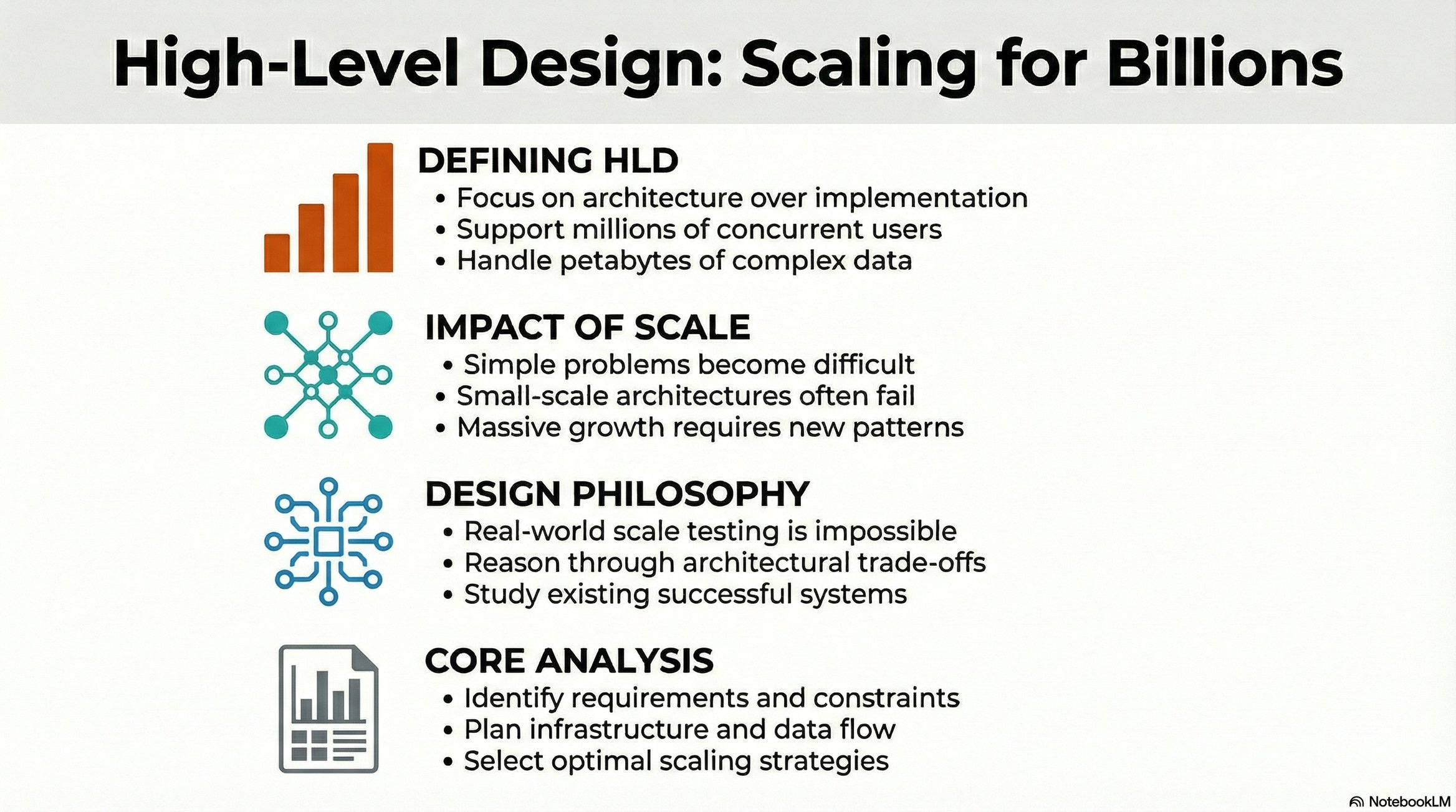
HLD focuses on building systems that handle massive scale specifically, systems serving billions of users with petabytes of data.
The HLD Approach: Architecture Over Implementation 🏗️
HLD cannot be practiced at true scale:
Why we can’t “just build it”:
Cost: Building billion-user infrastructure costs billions of dollars
Time: Load testing at scale requires years
Access: Most engineers never work at Google/Meta scale
What we do instead:
Study real-world case studies
Analyze architectural patterns
Design solutions conceptually
Reason about trade-offs
When asked to “design Twitter,” you’re not coding Twitter. You’re architecting:
Feature requirements and constraints
Backend infrastructure patterns
Scaling strategies for millions of concurrent users
Data flow and storage architecture
The Deceptively Simple Question
Problem: Given a file containing strings, sort them in dictionary order.
Input:
zebra
apple
banana
Expected Output:
apple
banana
zebra
The Naive Solution
From a DSA perspective, this is trivial:
with open(’data.txt’, ‘r’) as file:
    lines = file.readlines()
    sorted_data = sorted(lines)
Three lines. Built-in sorting. Problem solved... right?
The Scale Constraint 💥
The actual requirement: The file contains 50 petabytes of data.
Understanding petabyte scale:
1 KB = 10³ bytes
1 MB = 10⁶ bytes
1 GB = 10⁹ bytes
1 TB = 10¹² bytes
1 PB = 10¹⁵ bytes
50 petabytes = 50,000,000 gigabytes
Note on units: 1000 bytes = 1 kilobyte (KB) - SI standard; 1024 bytes = 1 kibibyte (KiB) - binary standard. Industry often uses these interchangeably, though they’re technically different.
Why the Naive Solution Fails ❌
lines = file.readlines() # Attempts to load entire file into RAMPhysical constraints:
RAM limitation: High-end servers have ~1-2 TB RAM maximum
Storage limitation: Consumer drives max at ~20 TB; enterprise drives ~100 TB
50 PB cannot fit on a single machine
Where is this data? Distributed across millions of servers globally.
The problem is now:
Collect data from distributed servers
Sort across the entire dataset
Store results back
This is no longer an algorithmic problem. It’s a distributed systems problem.
Distributed Systems: Failure Modes ⚠️
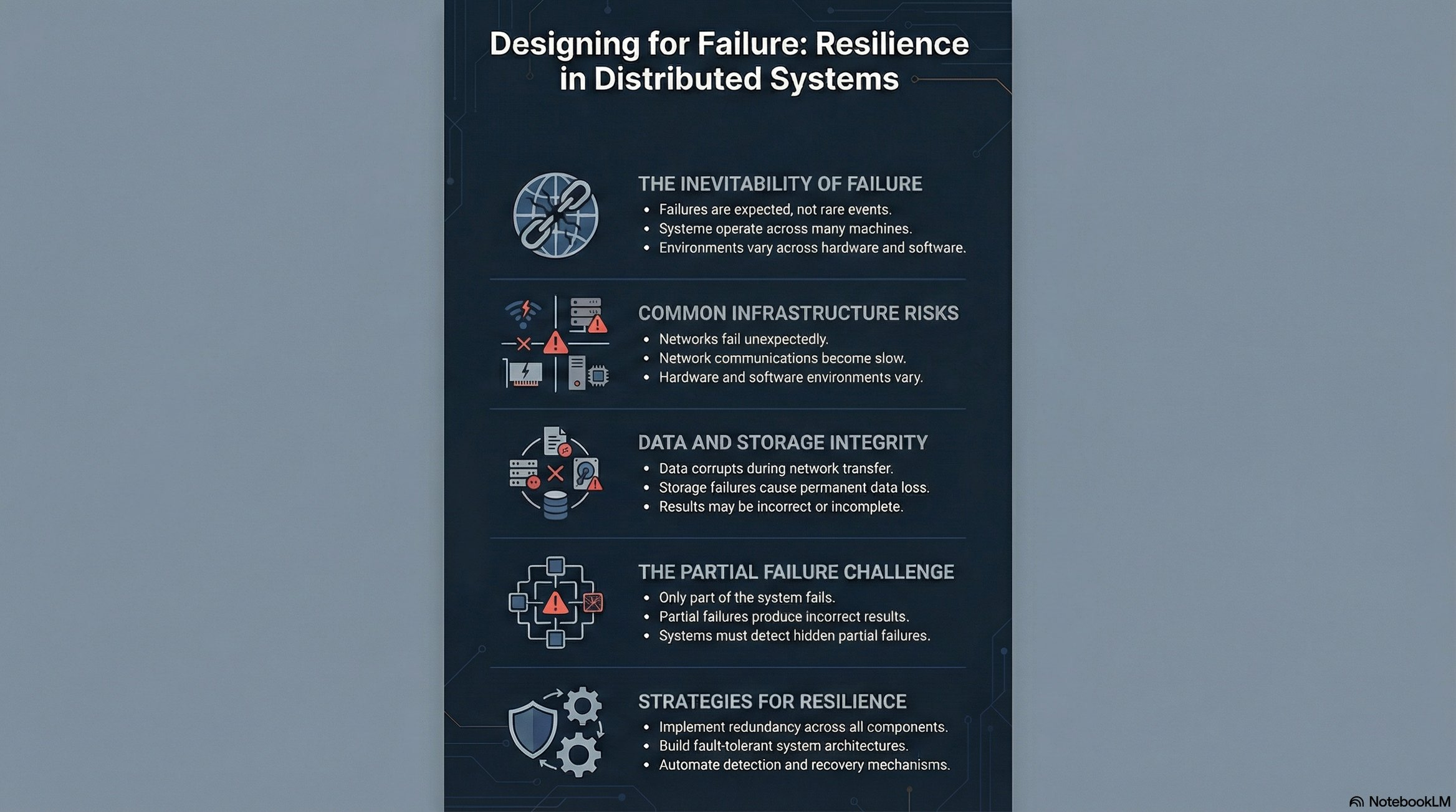
When solving problems across distributed infrastructure, multiple failure scenarios emerge:
Common Failure Modes:
🔌 Network failures (partitions, latency spikes, packet loss)
💻 Node crashes or malicious behavior
⚙️ Hardware heterogeneity (different capabilities across nodes)
🖥️ Software inconsistencies (OS versions, runtime environments)
📊 Data corruption in transit or at rest
💾 Persistent storage failures
⚠️ Partial failures (subset of nodes produce incorrect results)
The Challenge: Despite these failure modes, the system must complete tasks efficiently and correctly. This requires fault-tolerant design patterns, redundancy, and consensus mechanisms.
Scale as a Design Driver 🎯
Core Principle: Simple problems become challenging at scale.
High-Level Design focuses on understanding:
Scale transitions: 10² users → 10⁹ users
Challenge identification: What breaks when scale increases by orders of magnitude
Architectural solutions: Design patterns that handle planetary-scale problems
Scale dimensions:
📊 Data volume (petabytes, exabytes)
⚡ Request throughput (millions/billions per second)
At small scale (10³ requests), single-server architectures work fine. At internet scale (10⁹+ requests), the same design collapses.
Always design for n+2 orders of magnitude growth.
MVP: Minimum Viable Product 🛠️
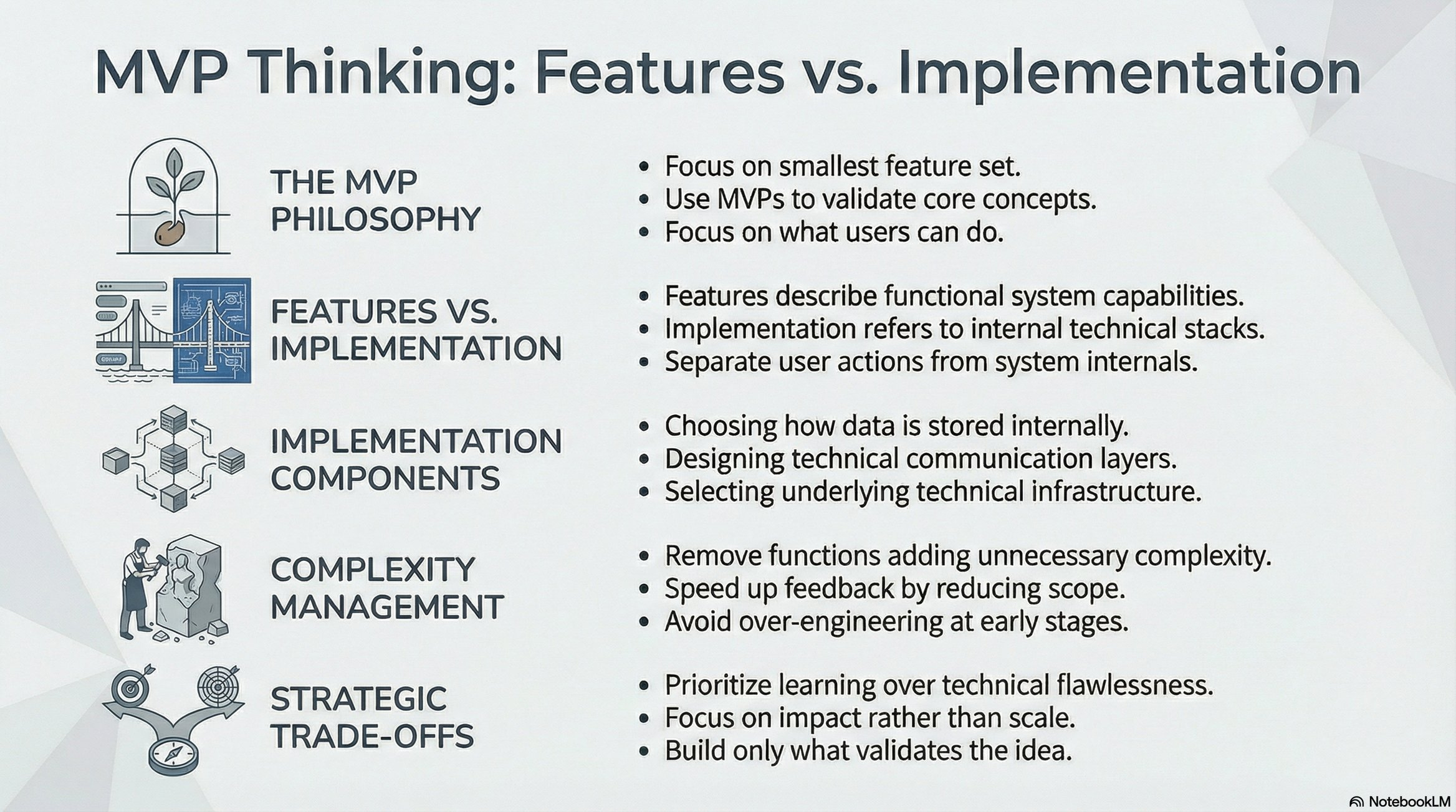
Definition:
Minimum: Fewest features required
Viable: Actually solves the problem
Product: Demonstrates the solution
Features vs. Implementation 💡
Critical distinction:
Features: What the user experiences (user-facing functionality)
Implementation: How you technically build it (databases, APIs, algorithms)
Example:
❌ “We need a database” — This is implementation
✅ “Users can save bookmarks” — This is a feature
When defining MVP, focus exclusively on features. Implementation decisions come later.
Case Study: Delicious Bookmarking Service 📑
The Problem (Pre-Cloud Era)
In 2003, before cloud computing existed:
Browsers saved bookmarks locally on individual machines
No synchronization across devices
Users at cyber cafés lost bookmarks when switching computers
Research and saved links were trapped on specific hardware
The Solution: Centralized Bookmark Storage ☁️
Build a web service where users can:
Store bookmarks on a remote server
Access them from any computer
Maintain persistence across sessions
MVP Feature Set ✅
Core Features (Must Have):
User registration and authentication
Add bookmark (URL + title)
View saved bookmarks
Excluded from MVP (Can Add Later):
❌ Logout functionality
❌ Delete bookmarks
❌ Update/edit bookmarks
❌ Automatic title detection
❌ Thumbnail previews
❌ Tags or categories
❌ Search functionality
Rationale: MVP is pre-launch. The goal is to validate the concept with minimal functionality, not build a feature-complete product.
From Local to Distributed: The Architecture Shift 🌐
The Local Development Problem
Initial implementation:
http://127.0.0.1:8080 (localhost)
The application runs on a single machine. It works perfectly for the developer but is inaccessible to external users.
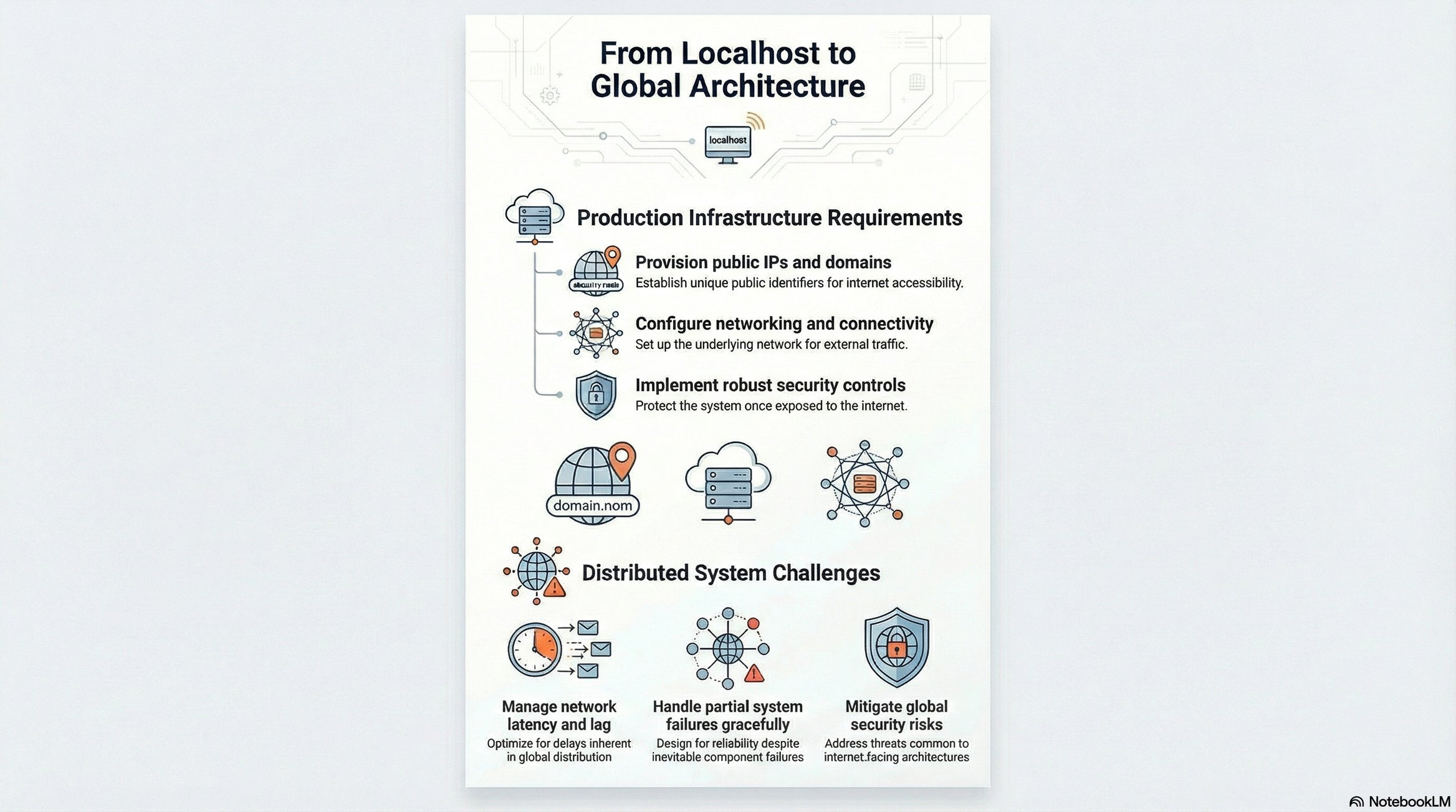
The fundamental challenge: How do we make a local application accessible globally?
Internet Connectivity Basics 📡
Requirements for global access:
ISP (Internet Service Provider): Provides internet connectivity via physical infrastructure (fiber/copper cables → router → device)
IP Address: Every internet-connected device receives a unique identifier
IPv4 or IPv6
Static or dynamic allocation
Enables device-to-device communication
Network Path: ISPs route traffic between devices across the global internet infrastructure
The Architecture Transition
Local Architecture:
Developer Machine → Localhost Server → Local Browser
Distributed Architecture:
Client (anywhere) → Internet → Public Server → Application
This transition requires:
Public IP address or domain name
Server infrastructure (cloud or physical)
Network configuration (ports, firewalls, load balancers)
Security considerations (authentication, encryption)
The shift from local to distributed introduces all the failure modes discussed earlier, making system design critical for reliability.
Key Takeaways 💡
Simple problems become challenging at scale.
MVP focuses on features, not implementation
Distributed systems introduce complexity
Always consider n+2 orders of magnitude growth.
This article was originally published on Substack.
Read on Substack